Domain Crawling DAGs and Operators
In this section we are going to present the list of dag that are responsible for collecting data from Domain drivers (Microsoft Teams, Google Chat, Google Classroom) that are presented in the figure below:
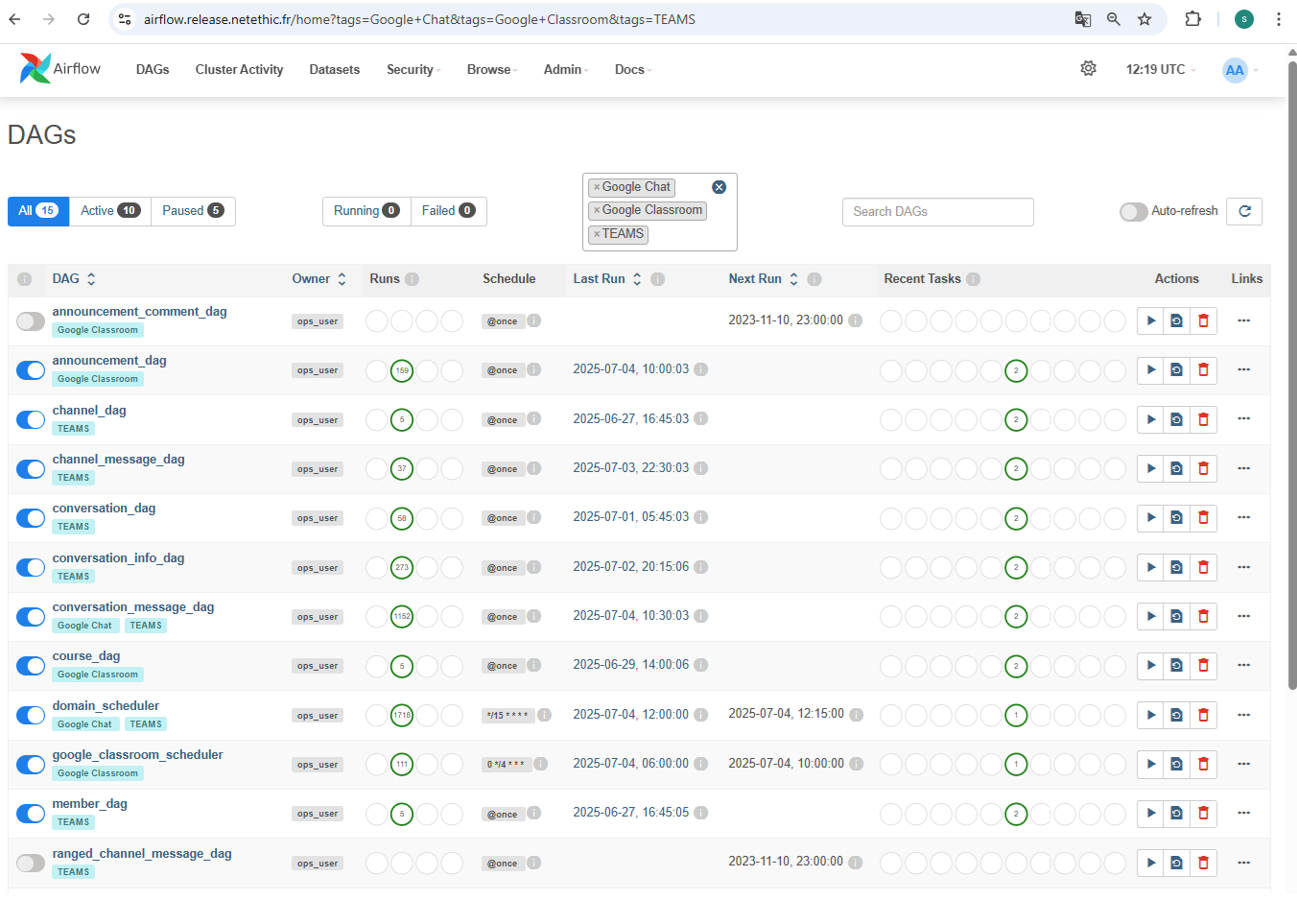
Each dag that concerns the data collection for Domain part is Tagged with the platform name. You can used that to filter DAGs using the TAG in Airflow UI to only have to DAGs related to the plaltform you want. Those dags are not periodic tasks they are lunched once by the scheduler and they are defined under the structure represented below.
├── dags
    ├── crawl
    |   ├── domain_drivers
    |   |   ├── announcement_dag.py
    |   |   ├── BaseDag.py
    |   |   ├── channel_dag.py
    |   |   ├── conversation_dag.py
    |   |   ├── conversation_info_dag.py
    |   |   ├── conversation_message_dag.py
    |   |   ├── course_dag.py
    |   |   ├── member_dag.py
    |   |   ├── message_dag.py
    |   |   ├── new_announcement_comment.py
    |   |   ├── ranged_channel_message_dag.py
    |   |   ├── ranged_conversation_message_dag.py
    |   |   ├── space_dag.py
    |   |   └── update_space_dag.py
BaseDAG
The BaseDAG is a custom version of Airflow’s DAG used to simplify and standardize all crawling workflows. It sets common settings like start date, timeout, and tags so you don’t have to repeat them. It also includes two useful features:
- print_context: logs and stores the input data (like account info) at the start of the DAG
- cleanup_xcom: automatically cleans up temporary data (XCom) after the DAG finishes
Crawling DAGs
The crawling Dags are responsible for collecting data, each for a different task. They uses custom operators that will be explained in the next part.
BaseCrawlOperator
This operator implements the shared pipeline logic. It represents the commun steps to follow for the different crawl jobs:
-
Driver Initialization
- Loads the domain and credentials.
- Creates a driver Instance (Teams, Google Chat, etc.) via
DomainDriverManager
-
Iterate Over Jobs
- Jobs are passed via XCom.
- For each job:
- Set job state to
running - Execute the
crawl()method (task-specific logic) - Set job state to
pending(if success) orfailed(if error) - Update execution metadata for re-scheduling
- Set job state to
-
Error Handling
- If any job fails, logs are sent to elastic search and Teams Channel
- Job state is updated to
failed
-
Execution Time
- After successful crawl, the operator records how long it took and save the execution time in
domain_execution_time collection
- After successful crawl, the operator records how long it took and save the execution time in
Child Operators
Each child operator defines:
get_frequency(): how often the task should be runcrawl(job): how to retrieve, process, and store data for the specific task
List of crawling operators:
MemberOperator
- collects domain members
- Inserts or updates
domain_memberrecords - Creates
conversationjobs for new members
ChannelOperator
- Collects Microsoft Teams channels
- Saves or updates them in
domain_channel - Links channel members via
channel_member
ConversationOperator
- Gets Users conversations (for Google Chat Spaces are considered as conversations)
- Stores or updates them in
domain_conversation. - Creats downstream jobs (
conversation_info,conversation_message)
ConversationMessageOperator
- Crawls messages and replies in conversations
- Saves messages and replies in
conversation_message(replies have the field parent_id not null) - Saves attachements
MessageOperator
- Crawls messages in Teams channels
- Stores messages in
channel_messageand replies inchannel_message_reply. - Save attachements
- Updates channel activity status
SpaceOperator (Google Chat)
- Collects spaces and their members
- Insert both in MongoDB as conversations and members
- Links each member to the space
ConversationInfoOperator / SpaceInfoOperator
- Used for updating metadata (like name, topic, creation date) for an existing conversation or space
- Ensures that conversation members are updated
CourseOperator
- Collects Google Classroom courses
- For each course It collects the list of teacher and the list of students that are used to prepare the list of domain members and course members
- Saves the member in a first order. Than, there is a delay of 1 min befor sending the courses. This wait time is added to make sure that the members are recieved and added in crawlserver befor the courses
AnnouncementOperator
- Collects the announcement published in Google Classroom courses with their comments
- Saves the announcements in
course_announcementand comments inannouncement_comment -
Creats new_announcement_job if :
- The nb_comments associated with the domain in the collection settings is greater than 0
- The comments_retrieval associated with the course itself should be set to True
- The announcement date is within 2 months from the actual date
NewAnnouncementCommentOperator
- Collects the new comments for the announcements
- Checks if the announcement date still with 2 month from the actual date. If it’s the case it will update the execution date and state of the job. Otherwise, it will delete the job